Learn how to create a white-labeled referral dashboard with CodeQR Partners.
CodeQR Partners whitelabeling require an Advanced plan
subscription or higher.
With CodeQR Partners, you can build a white-labeled referral dashboard that lives directly inside your app in just a few lines of code.This way, your users can automatically enroll in your partner program without needing to leave your app and sign up on a third-party platform.
In this guide, we’ll walk you through the steps to get started with the CodeQR Referrals Embed.
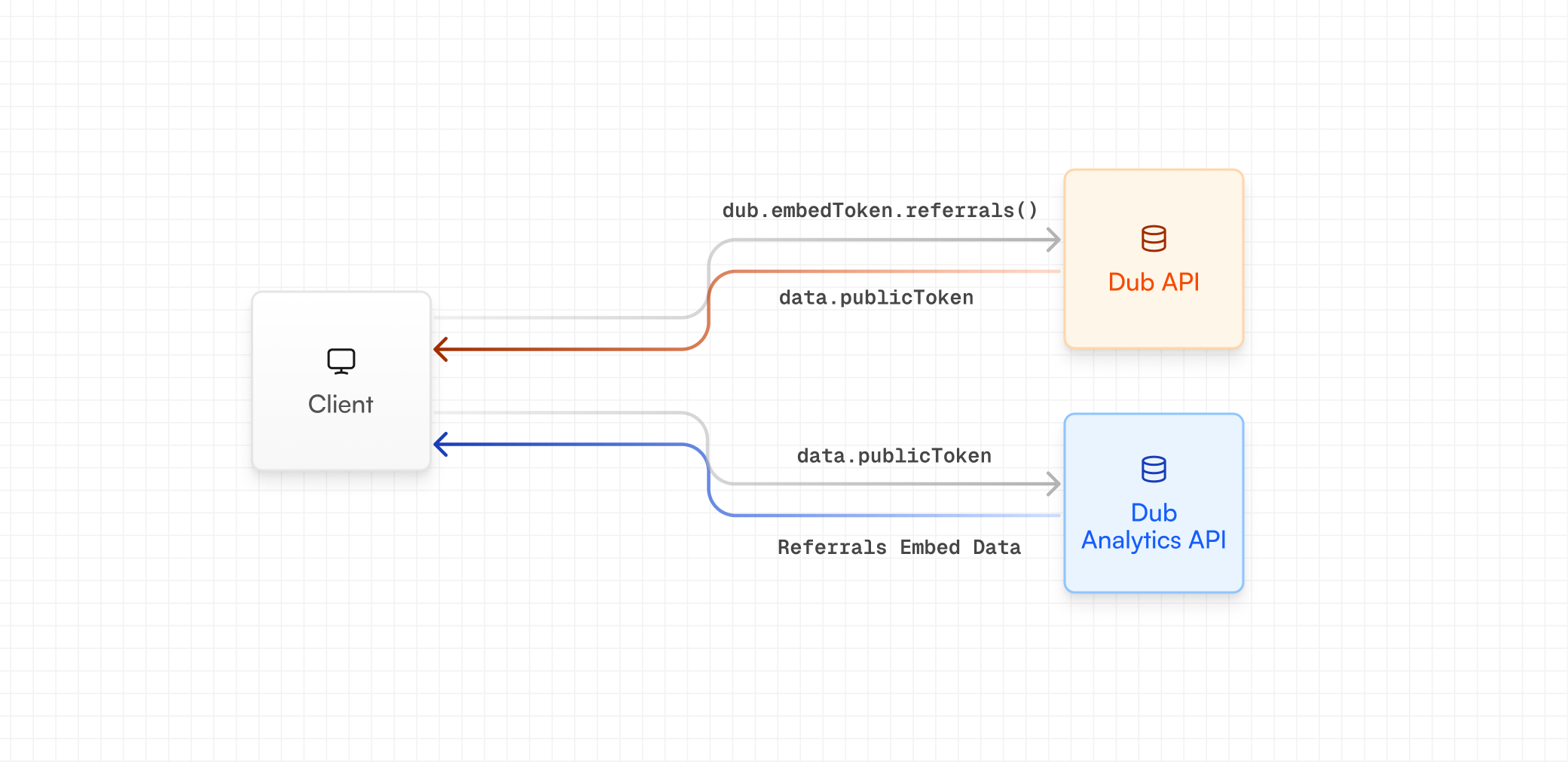
First, you need to create a server API route that generates a public token, which will be used by the CodeQR Referrals Embed to fetch real-time conversions and earnings data from the client-side.
If you’re using our server-side SDKs, you can generate an embed token using the codeqr.embedTokens.referrals method.
const { publicToken } = await codeqr.embedTokens.referrals({ programId: "prog_xxx", // program ID from your CodeQR dashboard (in the URL) tenantId: user.id, // the user's ID within your application partner: { name: user.name, // the user's name email: user.email, // the user's email image: user.image, // the user's image/avatar tenantId: user.id, // the user's ID within your application },});
from codeqr import CodeQRwith CodeQR( token="CODEQR_API_KEY",) as d_client: res = d_client.embed_tokens.referrals(request={ "program_id": "prog_xxx", # program ID from your CodeQR dashboard "tenant_id": user.id, # the user's ID within your application "partner": { "name": user.name, # the user's name "email": user.email, # the user's email "image": user.image, # the user's image/avatar "tenant_id": user.id, # the user's ID within your application }, }) # Handle response print(res.public_token)
package mainimport( "context" codeqrgo "github.com/codeqr-io/codeqr-go" "github.com/codeqr-io/codeqr-go/models/operations" "log")func main() { ctx := context.Background() s := codeqrgo.New( codeqrgo.WithSecurity("CODEQR_API_KEY"), ) res, err := s.EmbedTokens.Referrals(ctx, &operations.CreateReferralsEmbedTokenRequestBody{ ProgramID: "prog_xxx", // program ID from your CodeQR dashboard TenantID: user.ID, // the user's ID within your application Partner: &operations.Partner{ Name: user.Name, // the user's name Email: user.Email, // the user's email Image: user.Image, // the user's image/avatar TenantID: user.ID, // the user's ID within your application }, }) if err != nil { log.Fatal(err) } if res != nil { // Handle response log.Printf("Public token: %s", res.PublicToken) }}
declare(strict_types=1);require 'vendor/autoload.php';use CodeQR;use CodeQR\Models\Operations;$sdk = CodeQR\CodeQR::builder() ->setSecurity('CODEQR_API_KEY') ->build();$request = new Operations\CreateReferralsEmbedTokenRequestBody( programId: 'prog_xxx', // program ID from your CodeQR dashboard tenantId: $user->id, // the user's ID within your application partner: new Operations\Partner( name: $user->name, // the user's name email: $user->email, // the user's email image: $user->image, // the user's image/avatar tenantId: $user->id, // the user's ID within your application ),);$response = $sdk->embedTokens->referrals( request: $request);if ($response->object !== null) { // Handle response echo $response->object->publicToken;}
require 'codeqr's = ::OpenApiSDK::CodeQR.new( security: ::OpenApiSDK::Shared::Security.new( token: "CODEQR_API_KEY", ),)req = ::OpenApiSDK::Operations::CreateReferralsEmbedTokenRequestBody.new( program_id: "prog_xxx", # program ID from your CodeQR dashboard tenant_id: user.id, # the user's ID within your application partner: ::OpenApiSDK::Operations::Partner.new( name: user.name, # the user's name email: user.email, # the user's email image: user.image, # the user's image/avatar tenant_id: user.id, # the user's ID within your application ),)res = s.embed_tokens.referrals(req)if !res.object.nil? # Handle response puts res.object.public_tokenend
If you’re not using our server-side SDKs, you can generate an embed token using our REST API instead (via the POST /tokens/embed/referrals endpoint).
JavaScript
const response = await fetch("https://api.codeqr.co/tokens/embed/referrals", { method: "POST", body: JSON.stringify({ programId: "prog_xxx", // program ID from your CodeQR dashboard tenantId: user.id, // the user's ID within your application partner: { name: user.name, // the user's name email: user.email, // the user's email image: user.image, // the user's image/avatar tenantId: user.id, // the user's ID within your application }, }),});const data = await response.json();const { publicToken } = data;
Refer to the full API reference to learn more about the properties you can pass to the POST /tokens/embed/referrals endpoint.